Most camera setups fail in a boring way
Most camera setups fail in a boring way. The cameras record fine, the console records fine, but the two systems do not really understand each other — so every passing car, swaying branch and moth around the light becomes the same kind of alert. You stop reading the alerts, and the system stops helping.
That is the problem we set out to fix at the site. We already had UniFi Protect as the place where video is recorded and reviewed. What we added were two Reolink floodlight cameras, and then — separately, and carefully — the work to feed their motion events into Protect as proper smart detections: person, vehicle, animal and package, instead of undifferentiated motion.
Two floodlight cameras, one UniFi console
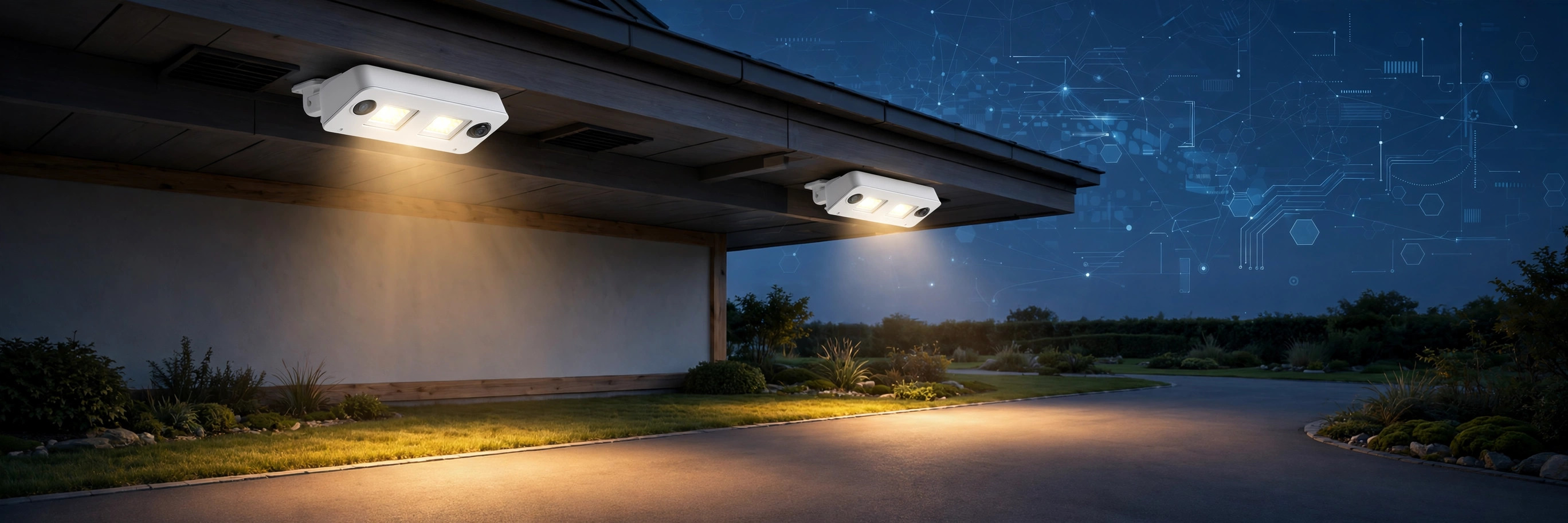
The site has two Reolink Elite Floodlight WiFi cameras. We call them Garage and Yard, after where they watch. Both were adopted in UniFi Protect and both record continuously in 4K.
- Garage — Reolink Elite Floodlight WiFi, floodlight camera watching the garage area.
- Yard — Reolink Elite Floodlight WiFi, floodlight camera watching the yard.
- Site console — a dedicated UniFi Protect console that hosts UniFi Protect for the site.
One detail matters if you are reproducing this: Protect for the site lives on a dedicated UniFi Protect console, not on the site's router. Protect on the router itself shows as offline. Anyone troubleshooting adoption, recording or detections should start on the Protect console — that is where the cameras actually live.
Adopted in Protect means the Reolink cameras appear and record alongside the rest of the UniFi system, rather than sitting in a separate vendor app as an island. The Reolink app still has a role — as the firmware story below shows — but day-to-day review happens in one console.
The network had to come first
The cameras could not be managed properly from a second location until the network they sit on was reachable from there. The two locations are joined by a site-to-site mesh, and the cameras sit on a local camera network at the site.
Until that camera network was added to the mesh, only the site gateway and the Protect console answered from the other location — the cameras themselves did not. Adding the network to the mesh closed that gap. It is a useful reminder that camera projects are network projects first: no route, no management, no reliable troubleshooting, however good the camera is.
ONVIF events became Protect smart detections
Reolink cameras can announce what they detect using ONVIF, an open standard for camera events. UniFi Protect, on its own, does not turn those announcements from a third-party camera into the smart detections its own cameras produce. Bridging that gap is the core of this project.
What we installed
We ran a pilot of onvif-recorder, version 1.6.32, on the Protect console, starting 23 October 2026. It listens for ONVIF events from the two Reolink cameras and feeds them into Protect so detections show up classified, not just as motion.
First smart detections appeared on 23 October at about 10:20 a.m. Pacific — four vehicle detections, across both cameras.
In a recent 24-hour window, the two cameras together produced 150 classified detections: 87 vehicle, 43 person and 20 animal, with no errors in the recorder log for that window.
The classification is deliberately limited to person, vehicle, animal and package. That is what the system does — and, just as importantly, what it does not do is set out below.
What it does not do: license plates
Smart detections here do not include license-plate recognition. If plate reading ever becomes a real requirement, the honest paths are different hardware or software built for that job — for example a UniFi AI Port or dedicated license-plate software. We would rather say that plainly in the post than let readers assume classified detections imply plate capture.
How the bridge actually works
Cameras are adopted in UniFi Protect first, through Protect's own third-party (ONVIF) camera support. onvif-recorder does not adopt cameras — it adds event intelligence on top.
It runs on the Protect console itself — here, the UNVR Pro — as a C++ daemon. It subscribes to each camera's ONVIF WS-PullPoint event stream, reads the ONVIF metadata, and classifies detections as person, vehicle, animal, or package, with a local NanoDet neural-net model as a fallback. It then writes those detection events directly into UniFi Protect's PostgreSQL database, so they appear natively: timeline clips, thumbnails, smart-detection search, and alarms.
It also patches Protect where stock Protect falls short for Reolink. Protect's ONVIF client does not send two WS-Addressing headers that Reolink cameras require, so the recorder patches that client (on by default), live-patches the Protect web UI so third-party cameras appear in the alarm picker, and patches the console's nginx to expose its admin UI at https://<console>/onvif/admin/. The patches load when Protect starts, so Protect restarts about five minutes after the first install.
For cameras that allow only a single event subscriber, “Share with Protect” mode holds that single subscription and forwards events to Protect over loopback port 7892.
Will a UniFi console update break it?
Short answer: it can — which is exactly why this pilot is pinned and soaking. A Protect or UniFi OS update replaces Protect files, including the patched service.js. The recorder rebuilds its patches from Protect's original copy and re-applies them on restart, but a new Protect version can change what the patches expect. When that happens, a patch — event sharing, for example — simply does not apply, and the admin page says so.
There is also known drift to watch for: events can land in the database but not be picked up by Protect's long-running process until Protect restarts. The recorder watches for that and restarts Protect, capped at four restarts a day.
What does not break is the foundation: cameras stay adopted and native recording keeps running. At worst, smart-detection enrichment degrades to motion-only until the patches re-apply or the version moves.
The mitigations in place are deliberate: the recorder is pinned to 1.6.32 with an apt hold, its own daily auto-update timer is disabled, and the console is left on auto-update so the soak includes a real update cycle. After every console update, we check detections and the admin Status card. Rollback is straightforward: apt-get purge onvif-recorder, plus a Protect restart.
CI/CD: how untested changes stay off production
Upstream, the recorder's GitHub Actions CI runs on every push to main and every pull request — lint plus the full Bazel test suite. A release is gated: nothing is built or published to the apt repo unless the test suite is green first, the .deb passes lintian, and the apt repo is GPG-signed. Releases are versioned, and 1.6.32 is the version running here.
On our side, we do not track latest automatically. The version is pinned, auto-update is off, changes go to the test site before production, and the soak includes a real console update cycle with verification afterward. A new recorder version only lands when it is deliberately unpinned, installed, and re-verified.
One honest limit: the upstream workflows we checked — CI and release — contain no dedicated vulnerability scanner, so this post claims none. The protection is upstream tests plus signed, versioned releases, plus our pin, hold, and soak.
Roadmap: a vulnerability scan of our own
Adding a vulnerability scan to our own checks is now a planned next step. Its scope is still to be defined: which scanner, what it runs on — the recorder build, our site build, or both — and where it gates. Until it lands, the claim in this post stays exactly as written: no scanner badge claimed, and the protection is upstream tests, signed versioned releases, and our pin, hold, and soak. The scanner does not exist yet, and this post does not pretend otherwise.
Why the version is pinned, and why there is a soak period
The pilot version is pinned. On 24 October we set an apt hold on onvif-recorder 1.6.32 on the console, so a routine console update does not silently change the one component the pilot is testing. The console itself stays current — it is on UniFi OS 6.0.15 with Protect 7.3.70, with automatic updates on — while the pilot component stays fixed.
The pilot then soaks for one to two weeks, including at least one UniFi OS or Protect update cycle. Only after that do we decide whether to expand it or remove it. That discipline — vet, test, pin, observe, then decide — is the point. A detection that works on day one and breaks on the first console update is not a feature yet.
What the AI watches for, and what the lights do
On both cameras, detection for people, vehicles and animals (dogs and cats) is on, person tracking is on, and face detection is off. Audio recording is on for both cameras as well. The camera services needed for this integration were confirmed enabled on both: HTTP, HTTPS, media, RTMP, RTSP and ONVIF.
The floodlights are part of the same design, not an afterthought. A bright white floodlight that snaps on at full power is effective security lighting and miserable neighbour lighting. Both cameras now share identical floodlight settings, and both are set to the warmest colour the hardware offers:
- Floodlight mode: Mode 2
- Brightness: 34
- Alarm light: 30
- Schedule: 18:00–06:00
- Colour temperature: 3000K — warm glow
The 3000K figure is worth explaining, because the camera does not label it that way. Reolink expresses colour temperature as a value from 0 to 100. Checking the vendor's own library code, the conversion is: kelvin = 6000 − 30 × colour temperature value. At a value of 100, that gives 3000K — the warmest setting, and the one we chose for both cameras for polite, neighbour-friendly ambient light. At 0 it would be 6000K, a much cooler white. Both cameras were already at 100 when we checked, so no change was needed.
Both cameras are now at the same main-stream setting — the earlier difference between them is resolved. On 25 October 2026 the Yard camera was set via SetEnc to 5120 × 1552, H.265, 20 fps, matching the Garage camera at 5120 × 1552. The Yard sub stream was left unchanged at 1920 × 576 and audio remained on.
Keeping the cameras current without surprises
The Yard camera's firmware update is a small story with a practical lesson. Updating through the camera's web interface in Safari kept crashing, and a reboot did not fix it. Updating through the Reolink iOS app worked.
After the update, verified on 25 October, both cameras report firmware v3.2.0.6530_2606232191. We then checked the things firmware updates are notorious for resetting — and in this case, nothing had moved: audio recording was still on for both cameras, and the floodlight settings were still identical. Verify after an update, do not assume — but it is good to be able to report a clean result when that is what the check finds.
Planned enhancements — ideas, not promises
The following are planned directions for discussion, not commitments with dates. We are publishing them as plans so readers can see where this kind of setup can go next, and so we can be held to the difference between what is working today and what is still an idea.
- Decide the pilot's future. At the end of the soak period (roughly late October to early November), decide whether to expand the onvif-recorder approach or remove it, based on detection quality and how it survived console updates.
- Connect detections to Home Assistant at the site. The site's Home Assistant instance is installed and its owner account is set up. Feeding camera detections into it would let a person detection, for example, drive lighting or other automations — rather than detections ending as entries in a timeline.
- Consider a real license-plate path only if a use case needs it. That means evaluating an AI Port or dedicated software on its own merits, not stretching the current detections beyond what they classify.
- Put both cameras in the inventory properly. A CMDB record for each camera, with firmware currency tracked, so 'are the cameras up to date?' is a lookup, not an investigation.
If we pursue the Home Assistant step, the floodlight choices above start to matter even more: warm 3000K light that responds to a classified person detection is a very different experience, for residents and neighbours alike, from a floodlight that reacts to everything that moves.
If you run a mixed-vendor camera setup and have solved the same problem a different way, we would like to hear how. The interesting question is not whose camera is best — it is how open standards like ONVIF, a single recording console, and a little patience with a pinned, properly soaked pilot can make equipment from different makers behave like one system.